Hotel Roma
GL-Beryl-AX
Protected5 GHz−61 dBm
IP 10.20.0.37−54 dBm
Join the Wi-Fi on your iPhone or Mac, tap once, and your router connects to it. Password included.
Or try the Mac app todayNo scanning list, no router panel. RouterSync reads the name of your current Wi-Fi and finds its password: from the keychain on Mac, pasted once on iPhone.
If your router can't be reached from the hotel network, RouterSync joins the router's Wi-Fi for you. One system prompt, no settings to dig through.
Name and password go to the router over your local network and stay saved: next time it reconnects on its own.
Then it tells you. If the hotel asks you to sign in, RouterSync notices and opens its page for you.
The same sign on both, sized for each. The router you're using sits at the top: with Pro you switch routers from there.

Reads the password from your keychain and shows the band and signal of the network you're on. With Pro it hands new networks to the router by itself.
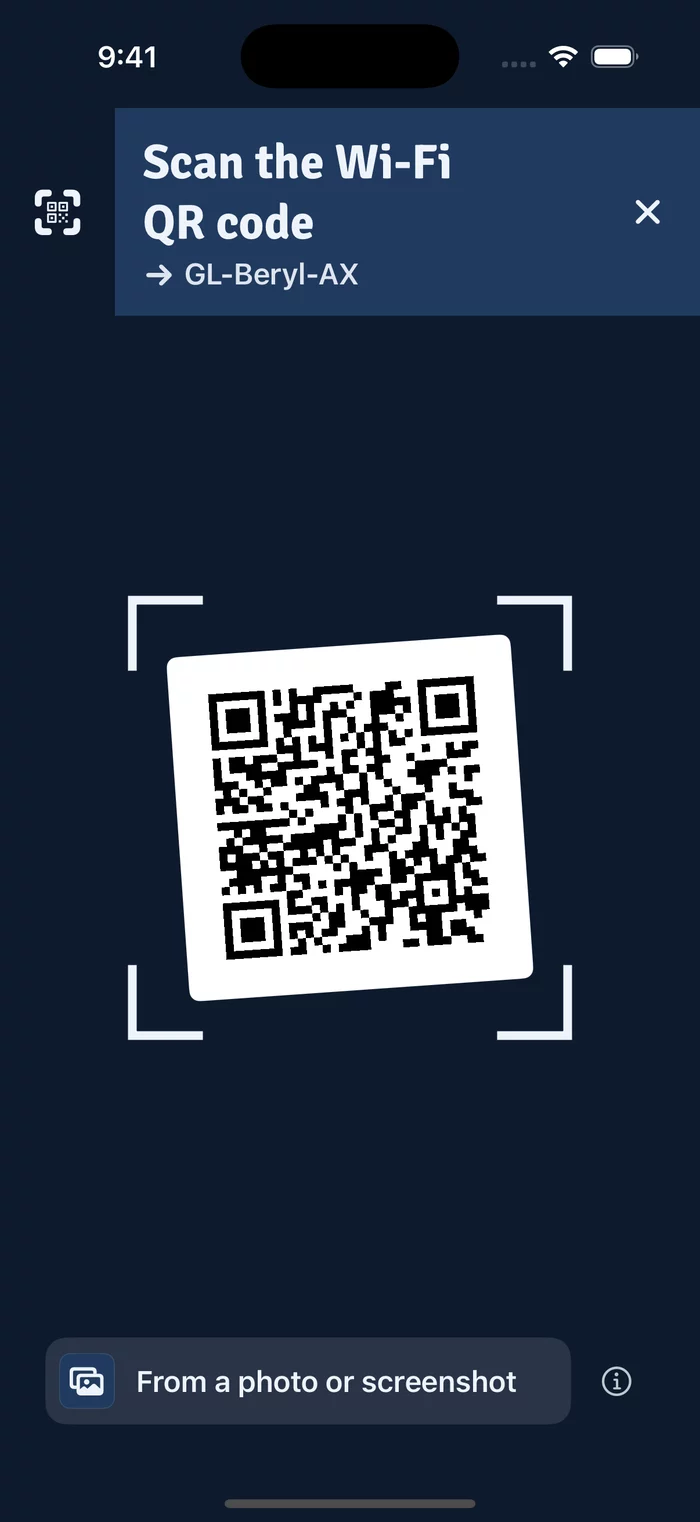
Point it at the card on the hotel desk, or pick a screenshot. The router joins that network and your phone stays where it is. Works with Shortcuts and Siri too.

Your router keeps every network you hand it. Switch back with one tap: the last 3 for free, all of them with Pro.
Screenshots from the app's demo mode, with a sample network. The app speaks English and Italian.
RouterSync talks to your router, on your local network. It has no server of its own: nothing reaches us.
For people who change networks every few days. Handing over the network you're on stays free; Pro adds the rest. It costs $1.99, once: on Mac today, on iPhone with the App Store release.
Secure payment with Stripe. The license key arrives by email.
When your Mac joins a new network and the router is nearby, the network is handed over without a click. Or it asks first.
Switch the router back to any network it knows, with one tap. Free: the last 3 you used.
Your travel router, the one at home, the one at the office: each with its own saved networks; switch from the name at the top.
Your router and its network on the Home and Lock Screen; hand over a network or scan a QR code from Control Center.
When the hotel asks you to sign in again, a notification opens its page, and another tells you when the router is back online.
iOS never lets apps read saved Wi-Fi passwords. Copy it once from Settings › Wi-Fi › ⓘ › Password, paste it in RouterSync, and it's remembered for that network. If the network has a QR code, scan that instead.
Yes, on iPhone, for free. Scan the code on the card at the desk, on a router's label or on a friend's phone sharing their Wi-Fi, or pick a photo or screenshot of it. RouterSync hands that network to your router without joining it on your phone, password included.
Apple treats the name of the Wi-Fi you're on as location data, so iPhone and Mac share it only with apps that have location access. RouterSync uses it to know which network to hand over and doesn't record where you are.
RouterSync notices when the hotel stops the internet at its sign-in page and opens the page for you: signing in once counts for every device on the router. When the sign-in runs out after some hours, RouterSync Pro tells you and opens the page again.
travelmate is the OpenWrt package for hotel and hotspot networks. It tries the new network and falls back to the ones it knows, so a wrong password never takes down the router's own Wi-Fi. Install luci-app-travelmate once from System › Software.
Yes, with Pro: your travel router, the one at home, the one at the office, each with its own saved networks. Switch from the name at the top of the app; the free version keeps one.
No. It does what you need on the road: hands the network you're on to the router, switches it back to saved ones, turns its VPN on and off, takes you to the hotel's sign-in page. For the rest it opens the router's panel.
Handing over the network you're on is always free, and so is switching back to the last 3 networks you used. Pro costs $1.99 once: what it adds is listed above. On Mac you buy it here and the license key arrives by email; on iPhone it will be an in-app purchase.
Yes, on a Mac: download the preview below. It isn't notarized by Apple yet, so the first time you open it go to System Settings › Privacy & Security and choose Open Anyway.
Join the waitlist and we'll email you when RouterSync reaches the App Store.
The preview for macOS 14 or later, Apple silicon and Intel.
Download for MacPreview, not notarized by Apple yet: open it from System Settings › Privacy & Security.